FeaturesGantt chart
An online Gantt chart that moves the whole plan for you
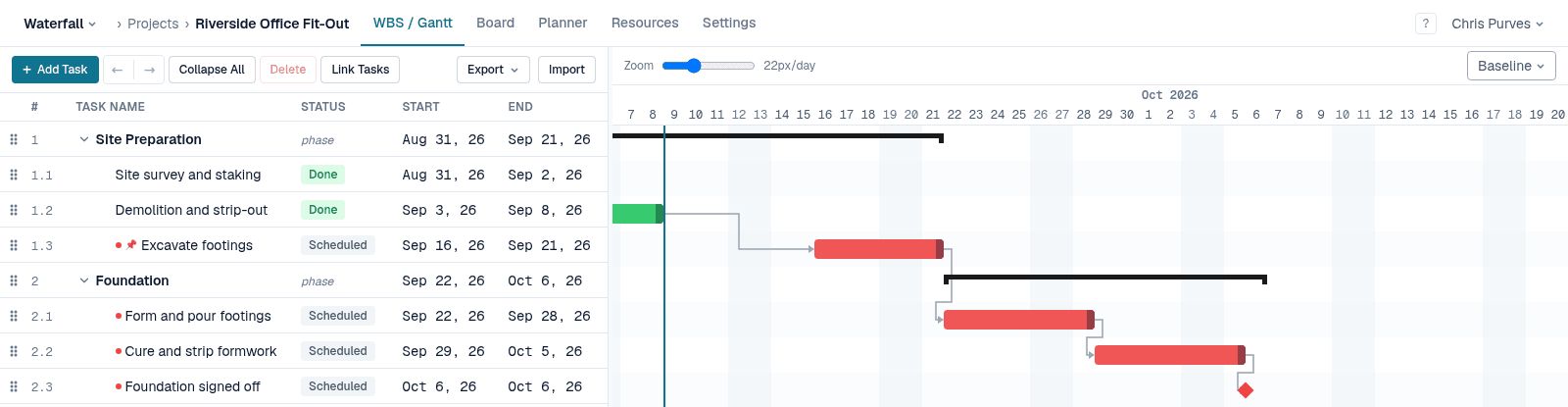
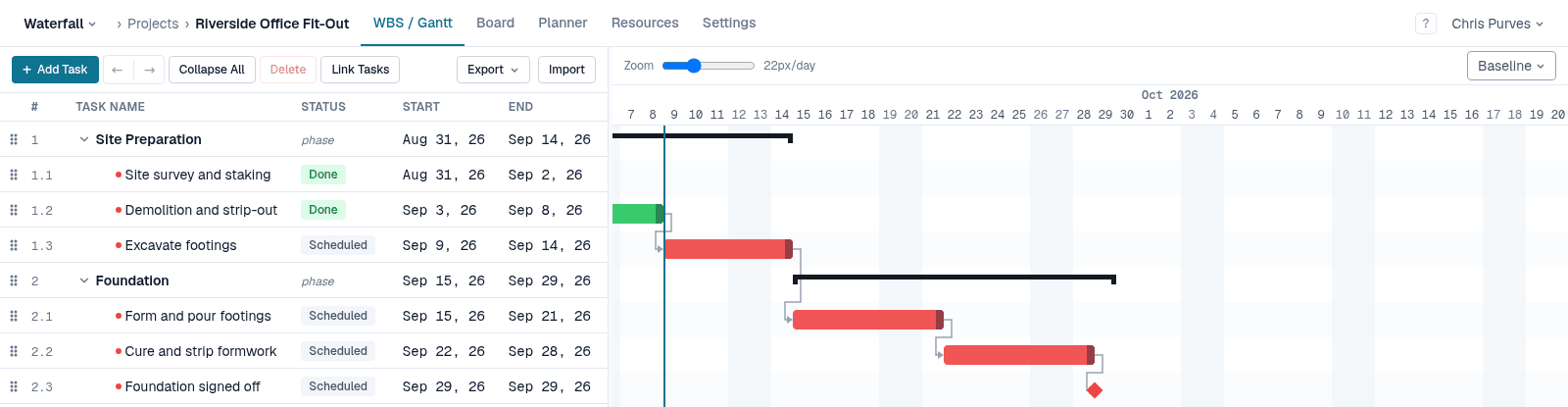
Most Gantt charts are drawings: move a bar and you are left to move everything that depended on it. In Waterfall PM the chart is the output of a scheduler. Dependencies decide where a task sits, so when one slips, every task behind it slides to match — and the people whose dates moved get an email.
Highlights
Four dependency types
Finish-to-start, start-to-start, finish-to-finish and start-to-finish, each with positive or negative lag.
Drag to pin
Dragging a bar sets a Start No Earlier Than constraint. Shift pins it to an exact date; Alt retimes the link instead.
Resize for duration
Drag a bar's right edge to change how long the task takes. Its successors move with it.
Your calendar
Set the project's working days and holidays; the scheduler never puts work on them, and the chart shades them at day zoom.
Deadlines and baselines
A deadline draws a marker that turns amber when missed. Capture a baseline to see the original plan under the live one (Pro).
Row for row with the WBS
The chart and the task table scroll together, one row per task, so you always know which bar you are looking at.
A plain drag never rewrites a link
Dragging a task pins where you put it; it does not quietly change the lag on its predecessors. Lag is a deliberate gap — a concrete cure, a lead time — and Waterfall PM keeps that record intact. If the work in front of a pinned task slips, the task still moves out rather than pretending it can start on time.
Every gesture also has a typed route — the constraint picker on the task card and the Predecessors column — and bars can be moved from the keyboard, one day per press.
Free while it's in beta
No credit card, every feature unlocked, and team members are always free. See pricing after the beta