Waterfall PM — project management for teams that plan up front
Project management for teams that plan the whole thing up front. Work breakdown structure, complex dependencies, Gantt chart, and a team planner combined with a modern board and collaboration tools.
Everything your waterfall project needs
Work Breakdown Structure
Build a hierarchical task tree with phases, milestones, and tasks. Drag to reorder, Tab to indent, keyboard shortcuts throughout — no two-level ceiling.
Self-scheduling Gantt
Dependencies drive the schedule. Move one task and every task behind it moves with it, forwards or backwards, with the critical path recomputed.
Task Dependencies
Finish-to-start, start-to-start, finish-to-finish, and start-to-finish links, with lag typed straight into a Predecessors column — 1.2FS+3d, the way you already write it.
Constraints and deadlines
All eight of Microsoft Project's constraints. The “no later than” ones never shove a task in front of its own predecessors — they flag the date instead, and show you every task that has to move to meet it.
Resource Management
Assign team members to tasks with allocation percentages. Work-based scheduling derives task duration from effort and headcount.
Team Planner
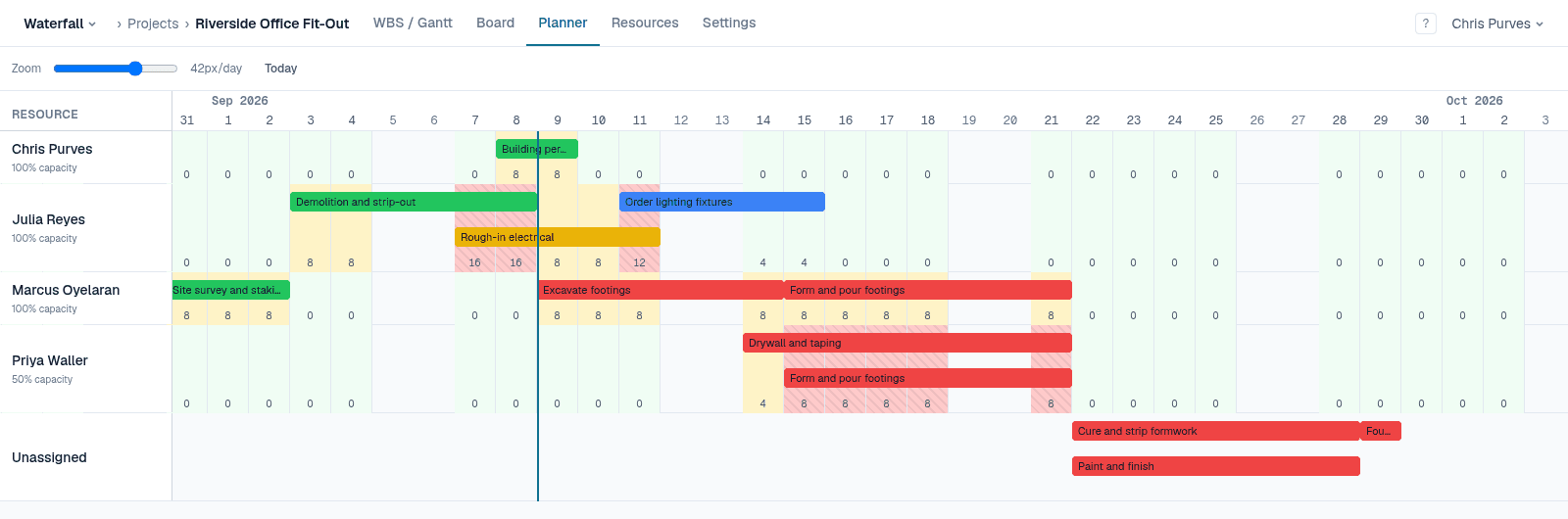
The same work grouped by who is doing it, with each person's day banded green, amber or red against their actual capacity.
Status Tracking
Status changes propagate through the project automatically. Mark a predecessor done and its successors become ready and notify users.
How it works
Build your Work Breakdown Structure
Break the project into phases, tasks, and milestones in a hierarchical table. Drag rows to reorder, Tab to indent, Insert to add a task inline. Phases roll their dates up from their children. The WBS is the backbone — everything else derives from it.
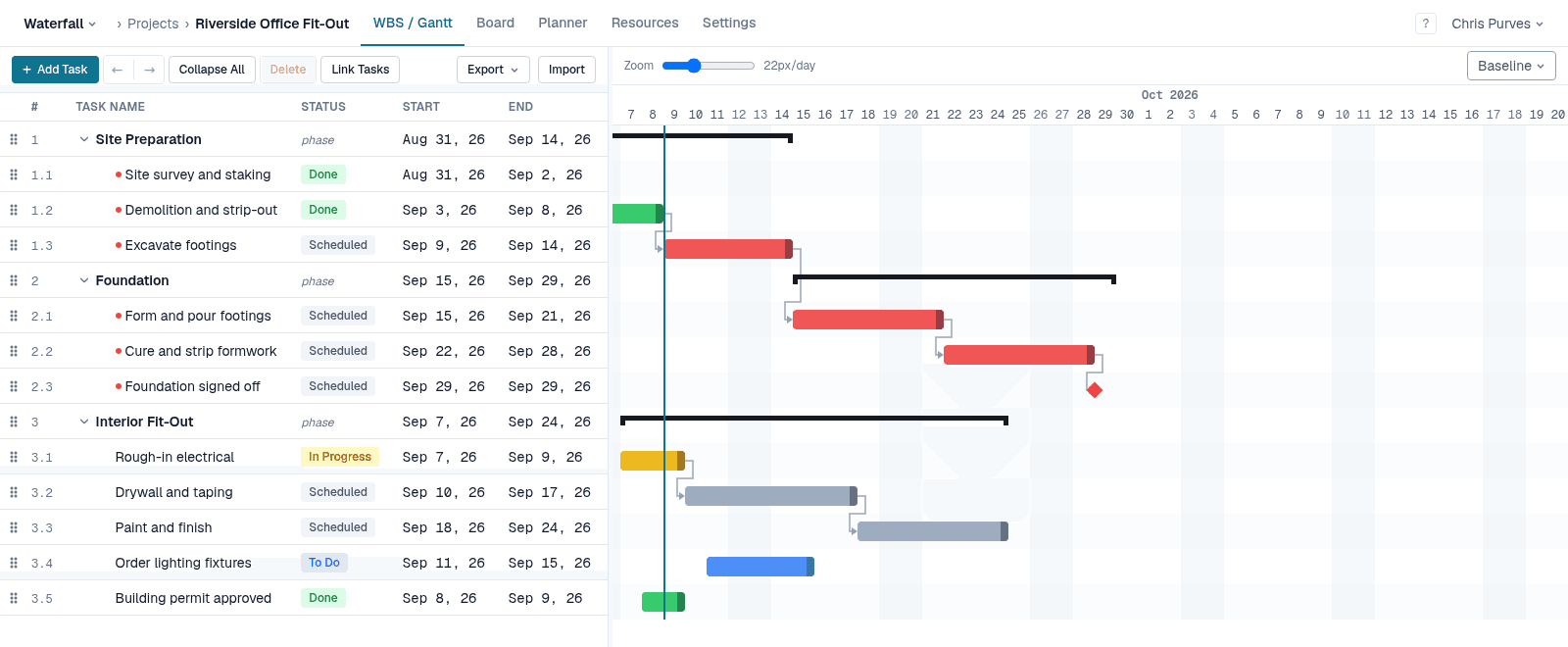
Link tasks with dependencies
Select two tasks and press L. Finish-to-start, start-to-start, finish-to-finish and start-to-finish, all with optional lag. The chart redraws immediately and the critical path is recalculated across the whole project.
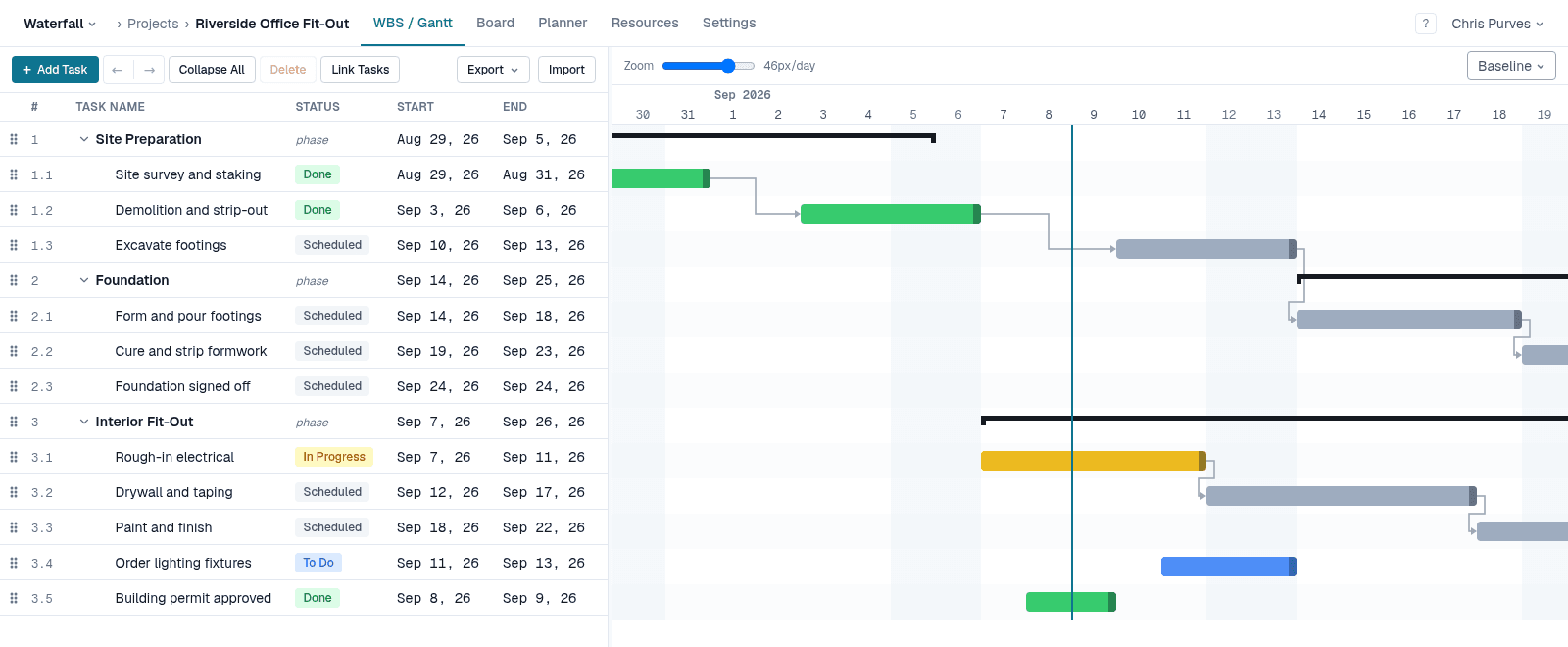
Move one task. The whole plan moves with it.
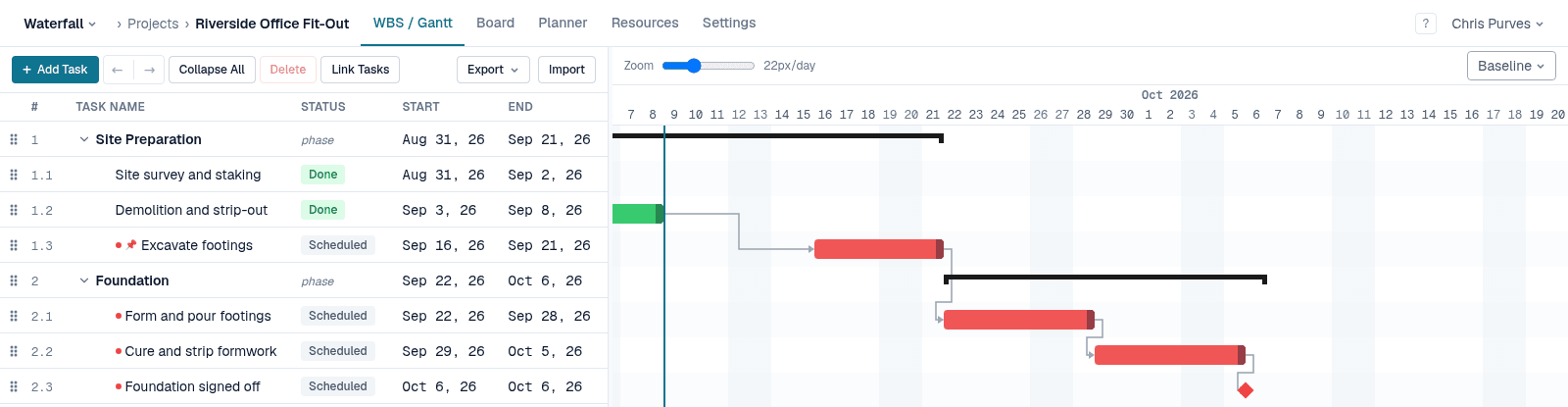
Drag a bar and it is pinned there — nothing else is edited behind your back. Everything downstream slides to match, phase bars re-span their children, and anyone whose dates moved is emailed. A pin is a floor, so if the work in front of it slips, a pinned task still moves out rather than pretending it can start on time. Hold Shift to pin it to an exact date instead, or Alt to retime the link rather than the task.
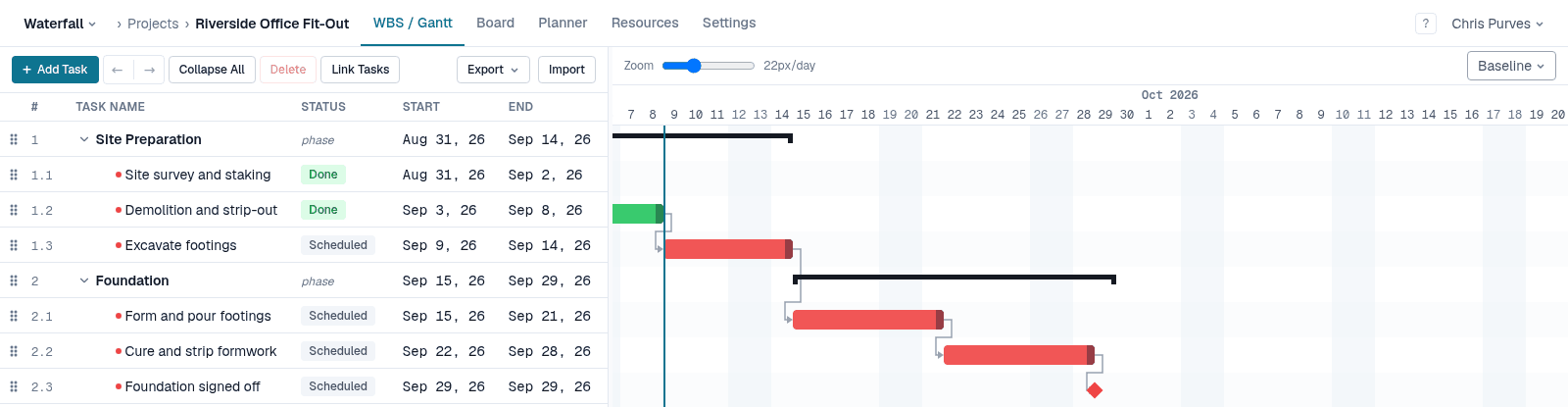
Finish a task, and the next one is ready
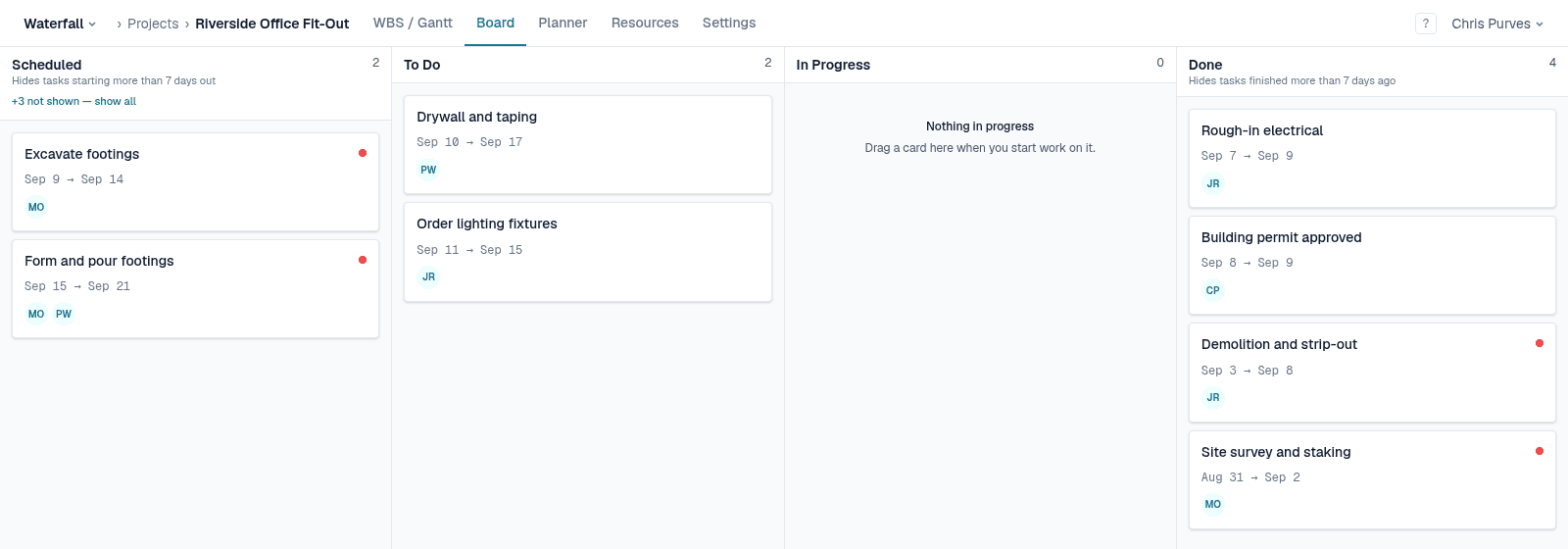
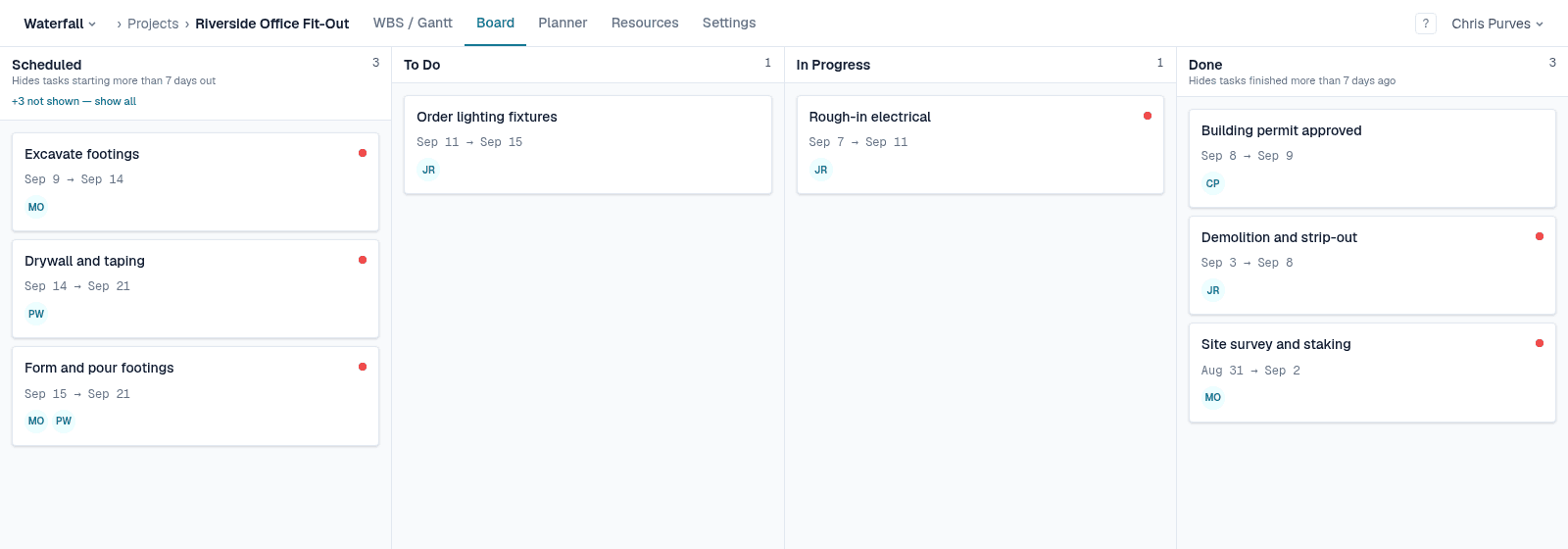
Mark a task done and its finish-to-start successors move from Scheduled to To Do on their own. Nobody has to go and re-status the next piece of work, and stepping back reverses it. The board and the table are the same data — update either one.
See who is actually overloaded
The Team Planner groups the same work by person, over the same timeline. Each lane carries the hours allocated per day, banded against that person's real capacity — so someone at half time reads as over-committed at four hours, not eight.
Assign people, and let the duration follow
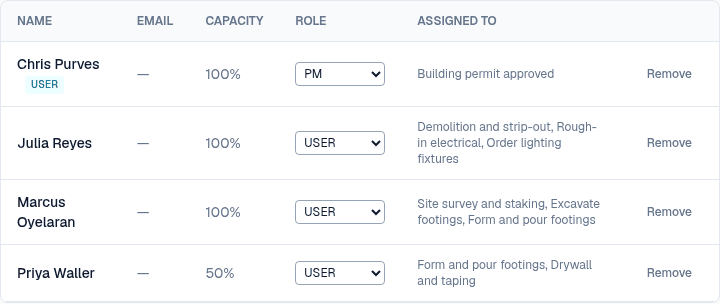
Add people to the project pool with a capacity, then assign them to tasks at an allocation percentage. Switch a task to work-based scheduling and its duration recalculates as you add or remove people.
Ready to plan your next project?