CompareWaterfall PM vs TeamGantt
A TeamGantt alternative with a scheduler that keeps the plan valid
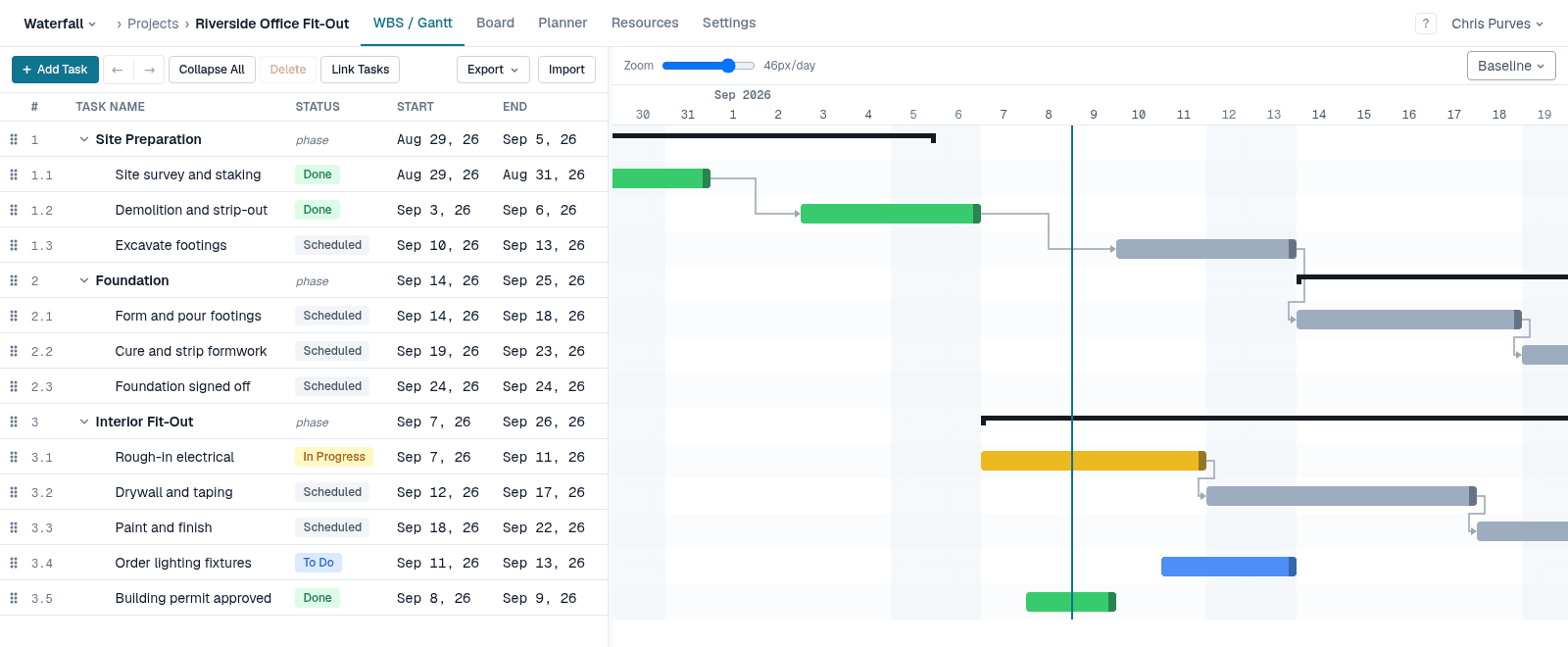
TeamGantt made Gantt charts friendly: drag a bar, draw a link, invite the team. Waterfall PM keeps that ease of use, but underneath it is a full scheduling engine in the Microsoft Project mould — links are honoured as the plan changes, and constraints and deadlines tell you what has to move.
If your plans have outgrown drag-and-drop dates, this page sets out where the two differ.
Side by side
Dependency types and lag
- Waterfall PM
- FS, SS, FF, SF with lag or lead
- TeamGantt
- FS, SS, FF, SF with lag or lead
When a date breaks a link
- Waterfall PM
- Every change reschedules the work that hasn't started, so its links always hold
- TeamGantt
- The dependency turns red as invalid, unless a preference is set to fix it automatically
Constraints and deadlines
- Waterfall PM
- All eight Microsoft Project constraints, plus deadlines that show every task feeding a miss
- TeamGantt
- No constraint types
Critical path
- Waterfall PM
- Always on, recomputed on every change
- TeamGantt
- Highlighted and recalculated as dates change
Baselines
- Waterfall PM
- Capture any number; show one against the live plan (Pro)
- TeamGantt
- Snapshots you can compare against the current timeline
Plan limits
- Waterfall PM
- Free: 1 project. Pro: unlimited projects
- TeamGantt
- Projects and tasks per project are capped by plan (e.g. 2 projects and 150 tasks on Basic)
Who needs a paid seat
- Waterfall PM
- Only people who plan (PMs). Team members are always free
- TeamGantt
- Managers; collaborators are included up to the plan's limit
Status and hand-offs
- Waterfall PM
- Finishing a task makes the tasks waiting on it ready, and emails people whose dates moved
- TeamGantt
- Collaborators update progress and check off checklist items
| Capability | Waterfall PM | TeamGantt |
|---|---|---|
| Dependency types and lag | FS, SS, FF, SF with lag or lead | FS, SS, FF, SF with lag or lead |
| When a date breaks a link | Every change reschedules the work that hasn't started, so its links always hold | The dependency turns red as invalid, unless a preference is set to fix it automatically |
| Constraints and deadlines | All eight Microsoft Project constraints, plus deadlines that show every task feeding a miss | No constraint types |
| Critical path | Always on, recomputed on every change | Highlighted and recalculated as dates change |
| Baselines | Capture any number; show one against the live plan (Pro) | Snapshots you can compare against the current timeline |
| Plan limits | Free: 1 project. Pro: unlimited projects | Projects and tasks per project are capped by plan (e.g. 2 projects and 150 tasks on Basic) |
| Who needs a paid seat | Only people who plan (PMs). Team members are always free | Managers; collaborators are included up to the plan's limit |
| Status and hand-offs | Finishing a task makes the tasks waiting on it ready, and emails people whose dates moved | Collaborators update progress and check off checklist items |
Links that stay honoured
In TeamGantt, editing dates can leave a dependency invalid — drawn in red until someone drags the successor back into place — unless you turn on the preference that fixes it automatically.
In Waterfall PM, work that hasn't started has no invalid state. Every change reschedules the plan, so a successor sits where its links put it — only tasks already under way keep their real dates. Dragging a bar pins it with a Start No Earlier Than constraint instead of breaking anything, and its lag is never rewritten behind your back.
Constraints and deadlines, not just dates
Waterfall PM has all eight of Microsoft Project's constraint types and a deadline on every task. A date the plan can't meet is flagged, and every task that feeds it shows negative float — you see the chain that has to move.
No task caps
Waterfall PM's plans limit projects, not tasks: a project can be as detailed as the work requires. Team members are free on every plan, and there is no collaborator cap to plan around.
When TeamGantt is the better choice
- A very gentle learning curve for people who have never scheduled a project.
- A Builder Edition with construction-specific features.
Free while it's in beta
No credit card, every feature unlocked, and team members are always free. See pricing after the beta
TeamGantt details checked on September 29, 2026. TeamGantt is a trademark of its owner; Waterfall PM is not affiliated with TeamGantt. Sources: TeamGantt Support — Dependencies; TeamGantt Support — My preferences (dependencies and hourly estimation); TeamGantt Support — Subscription options.