The project management tool between Trello and Microsoft Project.
A full WBS, self-scheduling Gantt, and Kanban board in one tool. Add a dependency and the whole schedule adjusts. Join the beta free and help us build the project management tool waterfall teams need.
No credit card. Free for the entire beta period.
Beta testers lock in founder pricing: $6per PM per month, half Pro's annual price, for the life of your account. Team members are always free. See pricing
The Trello / Asana / monday side
Beautiful UX, fast to set up — but the moment you have real dependencies, the Gantt is decorative. Move one task and nothing else updates. WBS depth ends at two levels. Critical path is a concept, not a feature.
The MS Project / Smartsheet side
A real scheduling engine — but the UX is from 2002, the pricing assumes you have an IT department, and onboarding a non-PM team member is its own project.
Waterfall PM is the middle.
The scheduling rigor of MS Project. The interface of something built this decade. For teams that plan the whole thing up front and need the plan to actually hold together.
Everything in one place
No integrations to stitch together. The WBS, Gantt, board, and notifications are all the same data — just different views.
Work Breakdown Structure
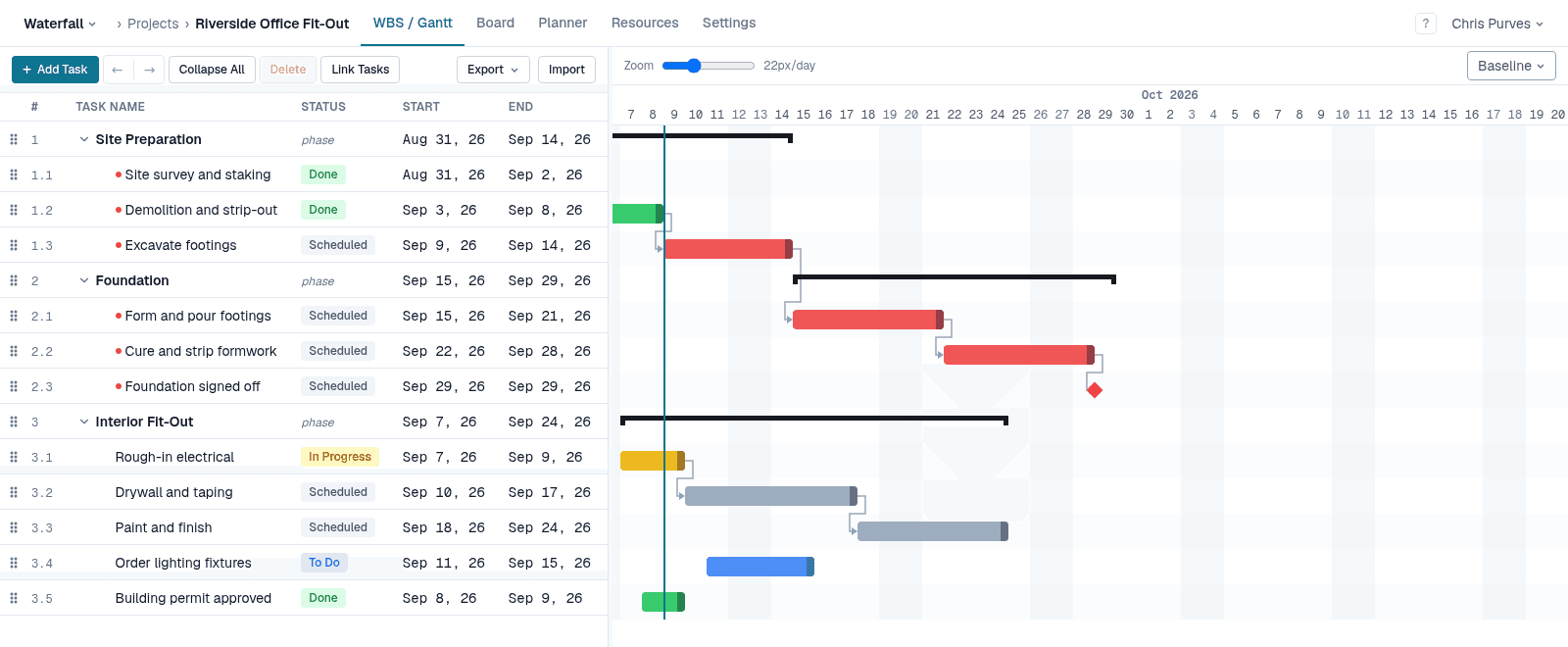
Organize your project into phases, tasks, and milestones in a hierarchical table. Drag rows to reorder, Tab to nest — the WBS is the backbone that drives everything else.
Auto-scheduling Gantt
Add a dependency and the Gantt chart adjusts instantly. Move one task and every successor shifts with it. Critical path highlights automatically — no manual maintenance.
Four dependency types
Finish-to-start, start-to-start, finish-to-finish, and start-to-finish, with lag or lead typed in MS Project notation. Model the real relationships between your tasks, not a simplified approximation.
Resource assignment
Assign team members to tasks with allocation percentages. Use work-based scheduling and task duration adjusts automatically as you add or remove people.
Kanban board
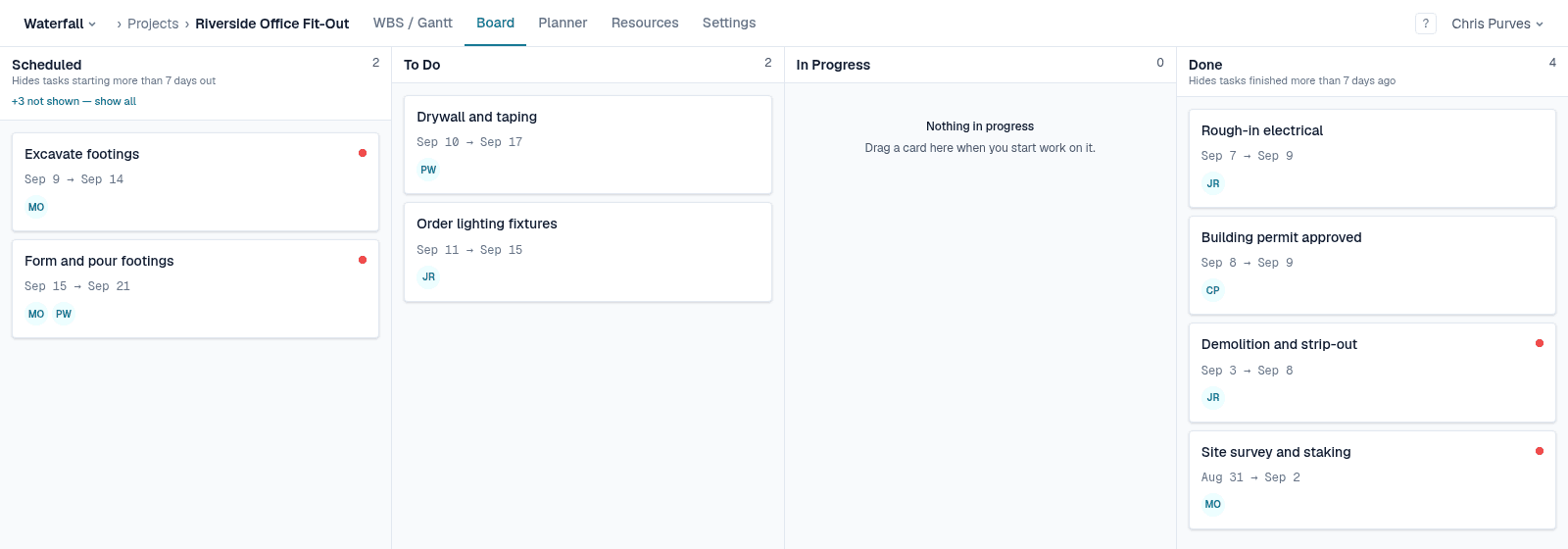
The same tasks, viewed by status. Drag cards to change status and the WBS updates in real time. Both views are always in sync — no duplication.
Automated notifications
Email alerts when tasks slip, statuses change, or you're @-mentioned. Assignees are notified when the schedule shifts — no one misses a change.
From plan to progress in minutes
- 1
Build your WBS
Break the project into phases and tasks. Set durations, assign resources, mark milestones. Use the keyboard or drag and drop — whichever is faster for you.
- 2
Wire up dependencies
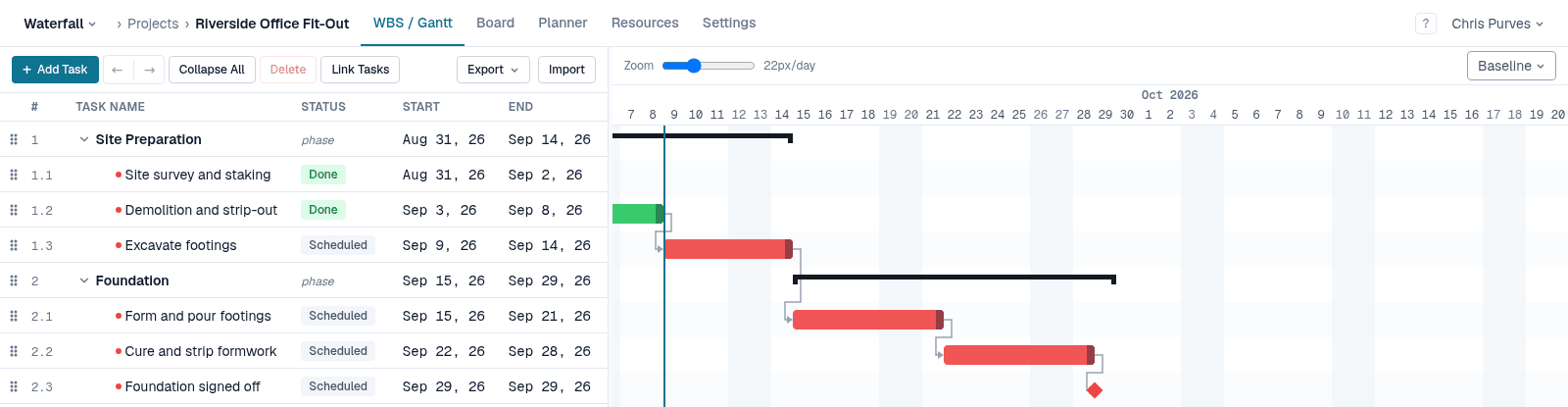
Select tasks and press L to link them finish-to-start, or type 1.2FS+3d into the Predecessors column to set the type and the lag at once. The Gantt and critical path update instantly — no manual adjustment.
 Before
Move one task and everything behind it follows — including the milestone.
- 3
Track and let it adjust
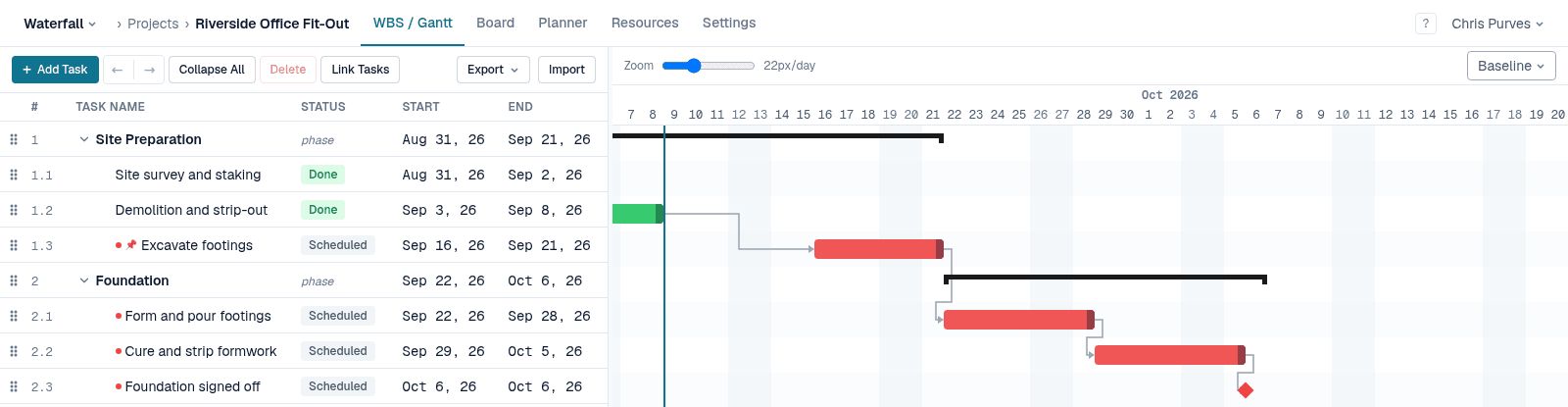
Mark tasks in progress or done on the Kanban board or WBS. The schedule re-runs automatically — slipping tasks slide forward, successors follow, and assignees are notified.
 Before
Finish a task and the next one is readied for you.
What the beta looks like
What you get
- Free for the entire beta period
- Every feature unlocked — no tiers
- Direct line to the team — your feedback shapes the roadmap
- Your data and projects stay yours after launch
- Founder pricing: 50% off Pro for the life of your account
- At least 30 days' notice before the beta ends
What we ask
- Try it on a real project, not a throwaway test
- Tell us what's confusing, broken, or missing
- Be patient with the rough edges we haven't sanded yet
Ready to kick the tires?
Sign up takes less than a minute. The beta is open now.
Already have an account? Log in